
In this update, the focus is entirely on user-friendliness, speed, and an organized workspace. We have streamlined our background processes, allowing large projects to load significantly faster. In addition, tools now remember your preferences, and the interface has become more intuitive. Finally, we have resolved several persistent bugs and tightened project security.
New
- Free Present link for everyone
Users who do not have the Present module in their package can now generate a single active Present link. To prevent resource misuse and manage server costs, a view limit has been applied to these links. - Convert Cyclomedia to a panorama
Via the right-click menu on the canvas, you can now easily convert a Cyclomedia frame into your own custom panorama asset.
New 3D Models
-
Middle 4pt Connector
This module allows you to create a 4-point grid pattern, as commonly seen on large 150kV and 380kV ground stations and substations.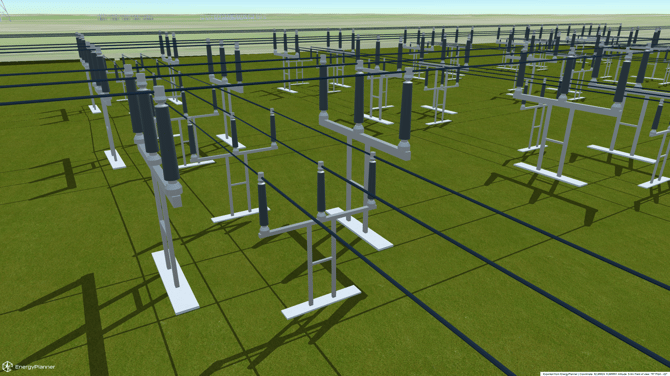
-
Industrial Silo
A highly detailed 3D model of a standard storage silo, ideal for adding realistic agricultural, manufacturing, or industrial elements to your projects.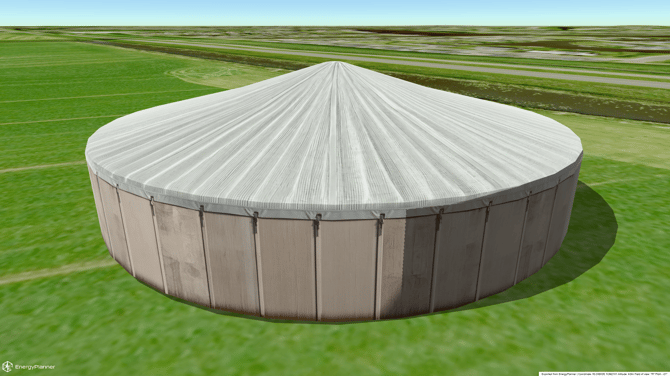
-
Vestas V117 4.x Wind Turbine
An accurate, high-quality asset of the modern Vestas V117 4.x wind turbine, perfect for renewable energy planning and environmental visualizations.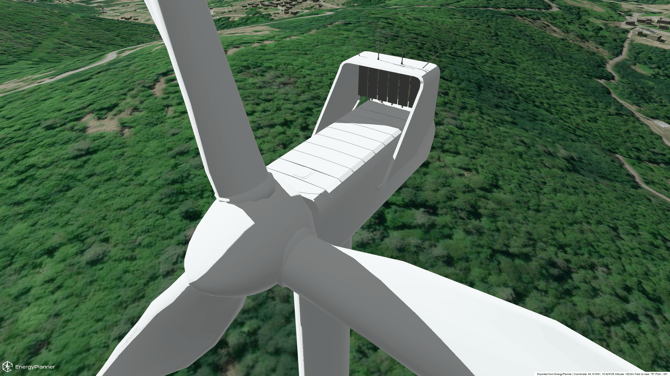
Optimized
- Smarter searching in the turbine editor
You can now search much more accurately for specific attributes of models within the turbine editor. This handy filtering option will be rolled out to all other lists in upcoming updates. - Tools remember your settings
To help you work faster, placement and grid tools will now remember your custom configurations (such as distances and axes). You won't have to reconfigure them every time you start a new session. - Edit presentation details faster
You can now change a project's name and description directly from the presentation list view, making quick updates before sharing much faster. - Easier layout selection for Present
When compiling a Present link, the layout dropdown menu will now stay open while you check off multiple layers, instead of closing after every single click. - New help and tips functionality
The old checklist in the interface has been replaced by a modern, clear tips widget to better guide you while you work. - Faster panorama processing
Panorama images are now only processed in the background when a Present link is actually created. This eliminates unnecessary server load and provides a major performance boost. - Shorter loading times for heavy projects
Objects are now only loaded and rendered when their corresponding layout is active. This dramatically speeds up initial loading times for projects with massive, asset-heavy models. - Automatic workspace cleanup on the map
Switching layouts will now automatically deselect objects positioned outside that active layout, keeping your workspace clean and clear. - Smarter interface during SkyDetect
While the automated AI process SkyDetect is running, the manual masking buttons are temporarily disabled and greyed out to prevent conflicting inputs. - Better security via user roles
We have introduced stricter role-based invitation limits to enhance project security. Project observers and general members will no longer see invitation prompts.
Bug fixes
- Fixed: Batch delete for multiple assets
An issue has been resolved, allowing you to once again select and delete large groups of assets (such as turbines, lines, wires, and markers) all at once. - Fixed: Imported files visible immediately
Newly imported map data (like Shapefiles) will now display instantly in the 3D workspace without requiring a manual page refresh. - Fixed: Colors on duplicated layouts
When duplicating a layout, it will now properly retain its unique tracking color, even after reloading your browser. - Fixed: Visibility of high-voltage trace lines
The rendering of high-voltage power lines and distribution wire boundaries is now consistent and clearly visible across all zoom heights.