
Enhancements
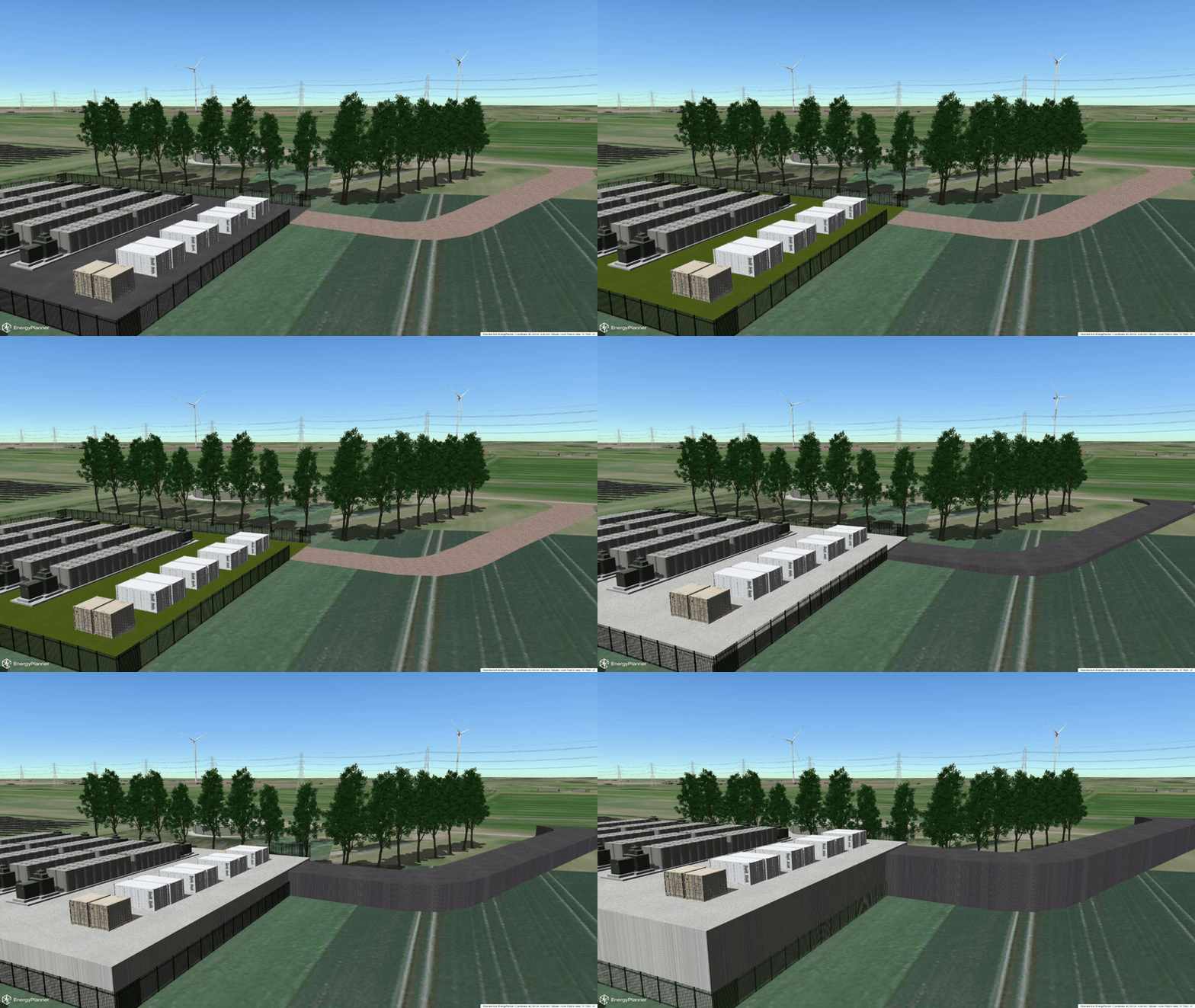
Ground textures available for all our customers
- From this release, everyone can add an extra ground texture to their EnergyPlanner project. With the use of different textures, you can simulate a ground which isn’t there yet. There are options for grass, asphalt, concrete or cobblestone. On top of ground textures, all EnergyPlanner models can be placed so a glimpse into the future can be presented. The textures follow the terrain elevation with the option to raise it as well, if necessary. Please note that this is a beta version, so please report any suggestions or questions.
PDF export with all relevant information
- Looking for a fast way to present information from EnergyPlanner? Use the PDF export and get all relevant information in one document.
- Please note that this is a beta version, so please report any suggestions or questions.
Offshore base rotation
- It’s now possible to rotate all offshore bases around 360 degrees with a slider.
Fixes
Screenshot resolution
- The correct resolution is now saved in the application for all screenshots.
Ground texture
- Object markers on a raised terrain texture are now placed at the correct height.
- Terrain textures are now displayed correctly in the layout editor.
Input restrictions on panorama upload
- In the Custom panorama settings/upload it is no longer possible to set an altitude higher than 5000m.
- In the pano move tool it is also no longer possible to go above 5000m altitude.
Place any object
- A short delay has been added when placing objects using the tool option in EnergyPlanner to prevent double-clicking.
Simulation: An animation is added to the receptor
- A specific focus has been added for the receptor. This will help to focus on the right receptor. The map now also appears in exactly the right location after focus.